From CSV to Your First Invoice — Step by Step
Before you can generate simple solar invoices for your community, you need the energy measurement data from the grid operator. This step-by-step guide shows you exactly where to find and download the CSV files from the energy portal.
1Open the energy portal
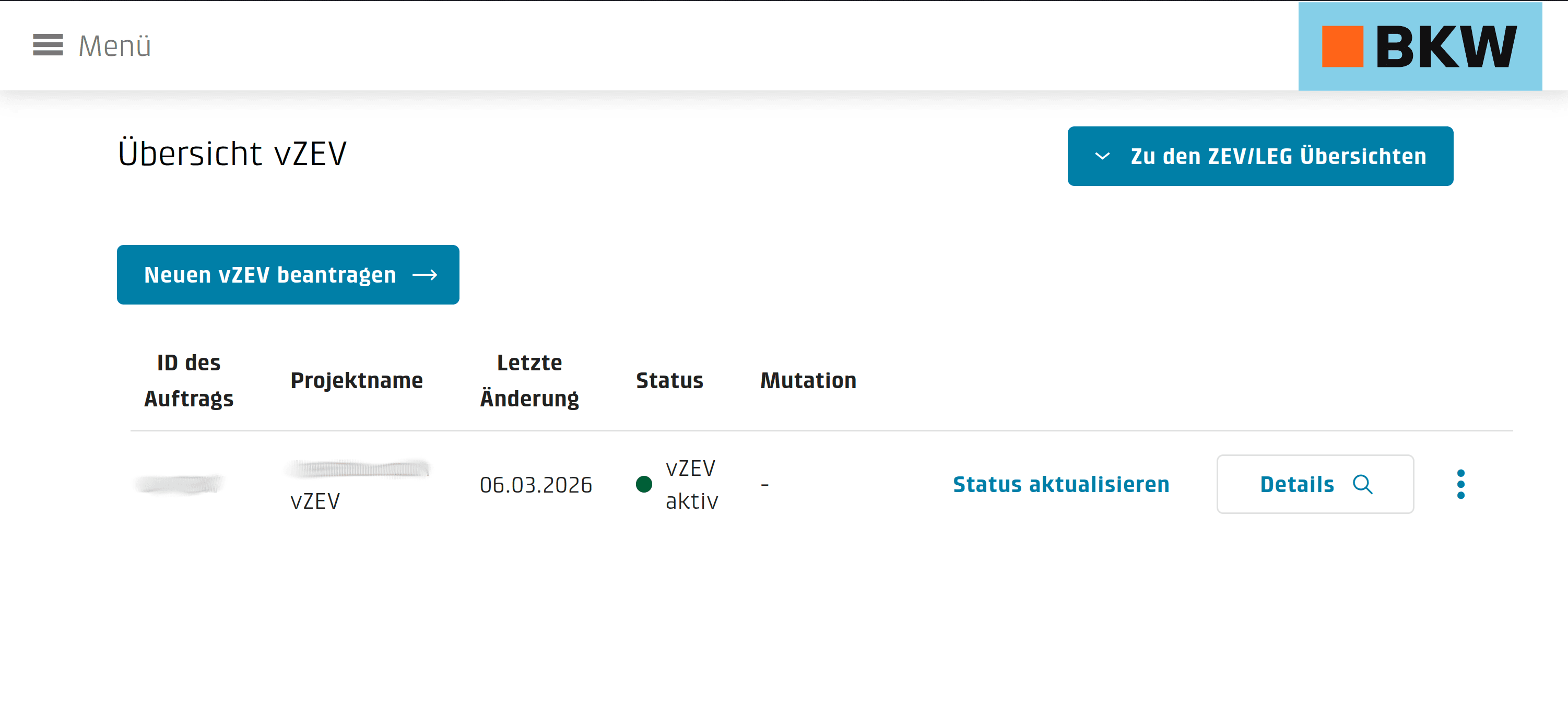
Log in to the energy portal at vzev.bkw.ch. You will see an overview of all your registered solar communities. Each community shows its status, project name, and last modification date. Click "Details" on the community you want to invoice.
2Add Members in Jouli
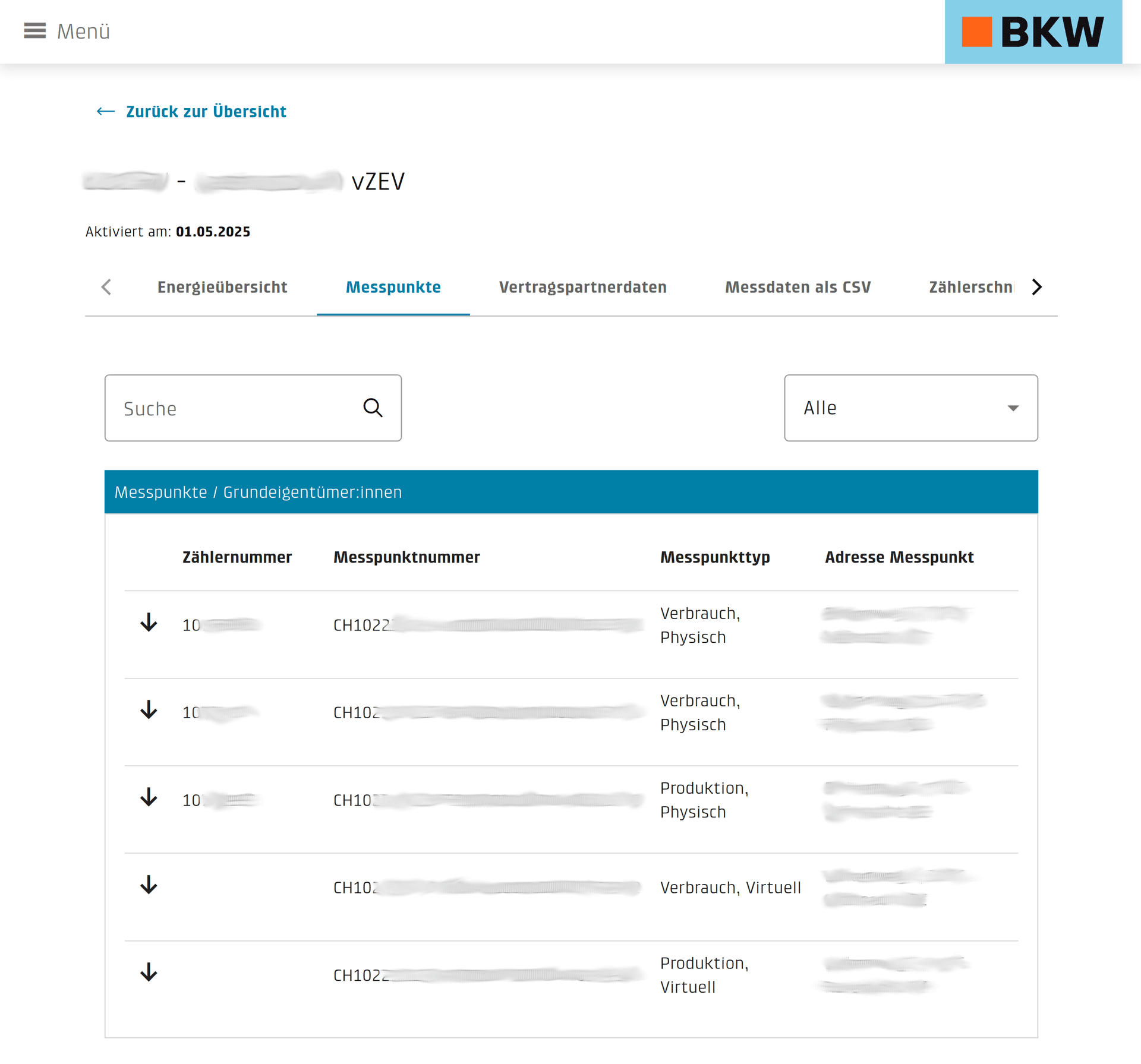
Open the «Metering Points» tab on vzev.bkw.ch — you'll see every physical and virtual metering point of your community along with its meter number, metering point number (CHxxxx…), and metering point type (Consumption / Production, Physical / Virtual). In Jouli, add each community member and assign their metering point number and meter number from this list. Make sure the metering point type you set in Jouli matches the type shown on vzev.bkw.ch — otherwise the CSV import will misallocate consumption and production.
3Download the CSV Data
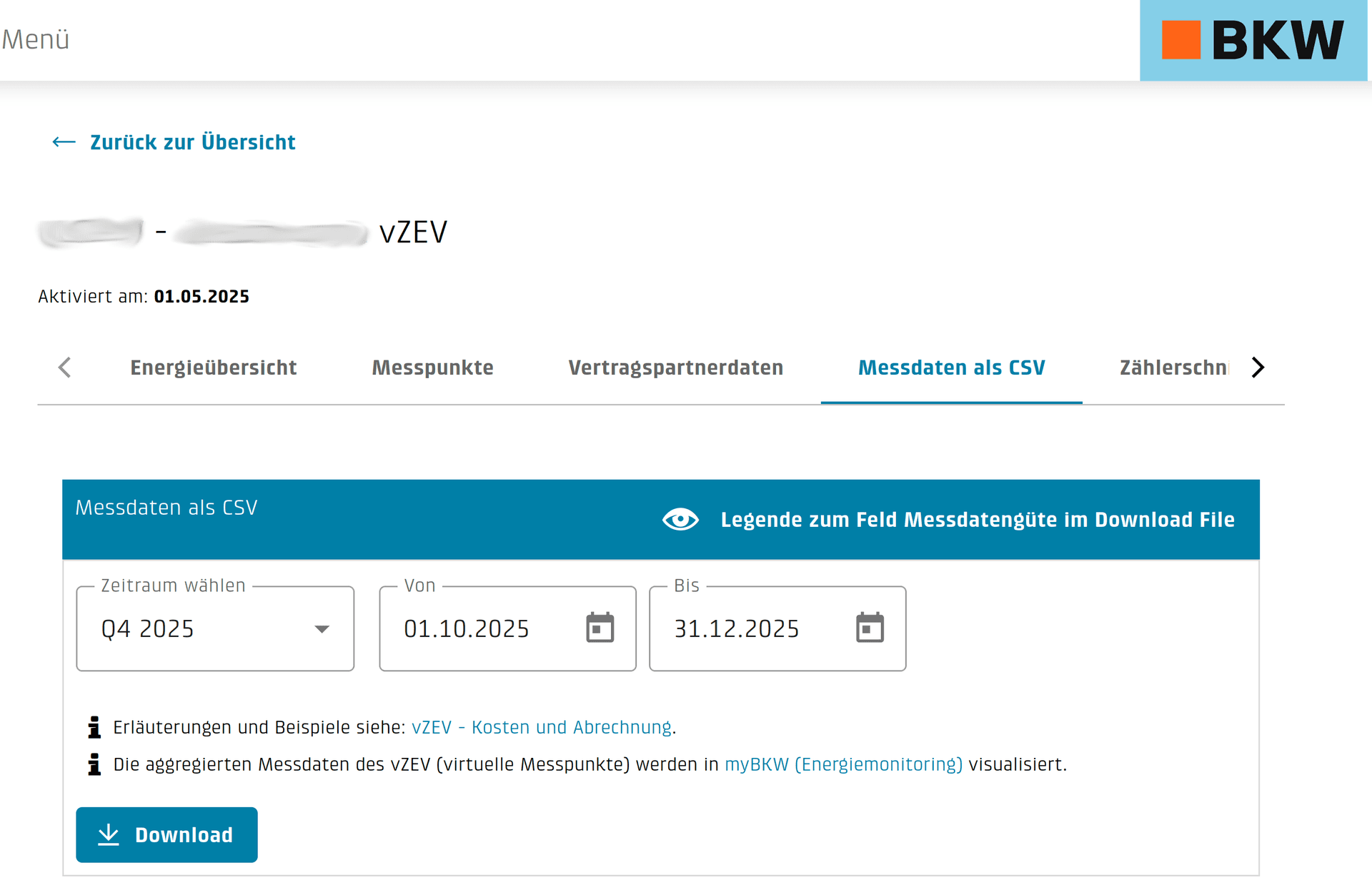
Switch to the "Measurement Data as CSV" tab. Select the billing period you need (e.g. Q4 2025) and click "Download". The CSV file contains 15-minute interval readings for all metering points in your community. This is the file you will upload to Jouli.
4Understanding Your Grid Invoice
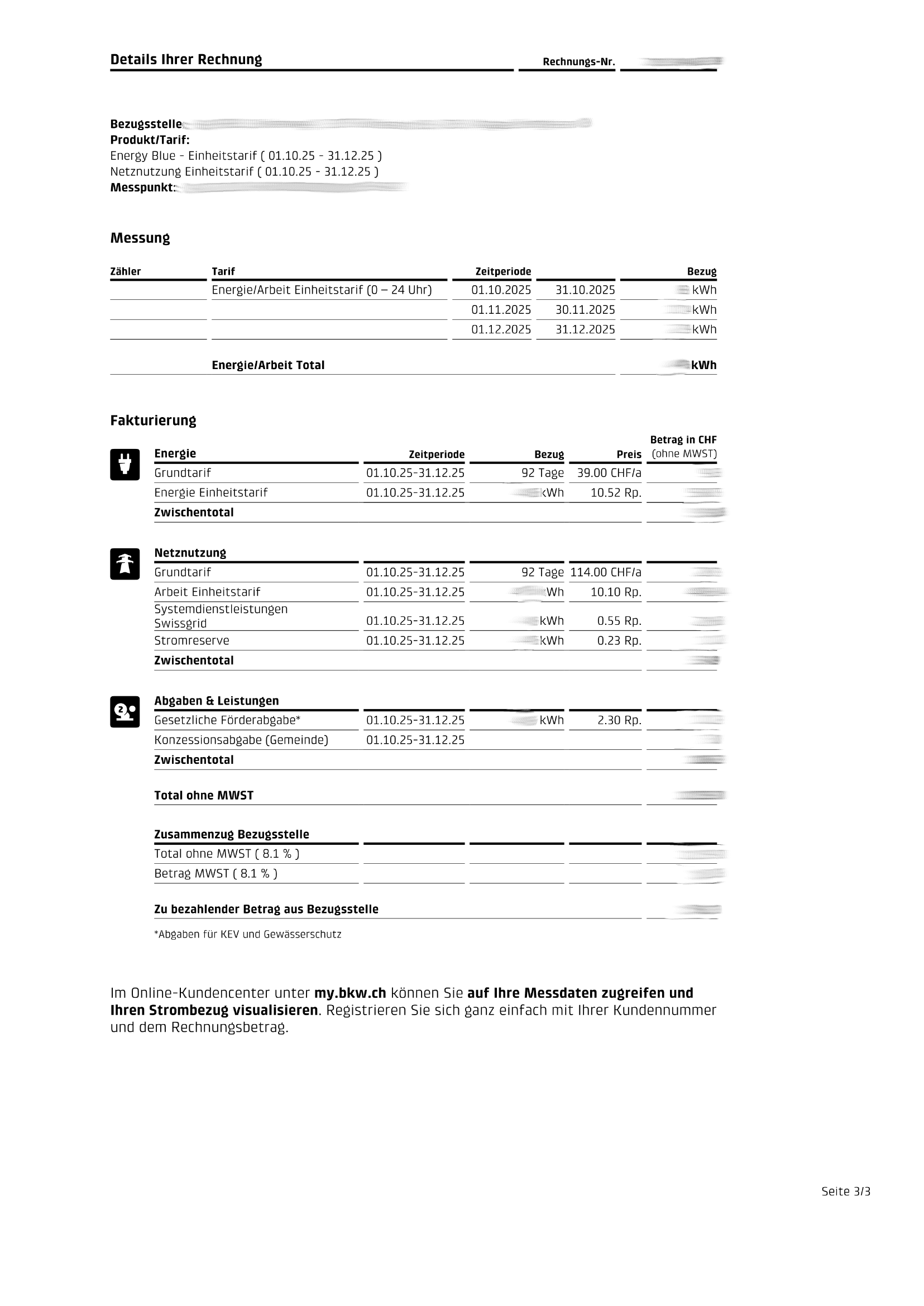
Log in at your grid operator portal and navigate to "Invoices" to review the invoices the grid operator sends you for grid energy. These invoices show the total grid consumption, energy tariffs, network fees, and taxes. Jouli uses the CSV data to split these costs simply among community members based on their actual consumption.
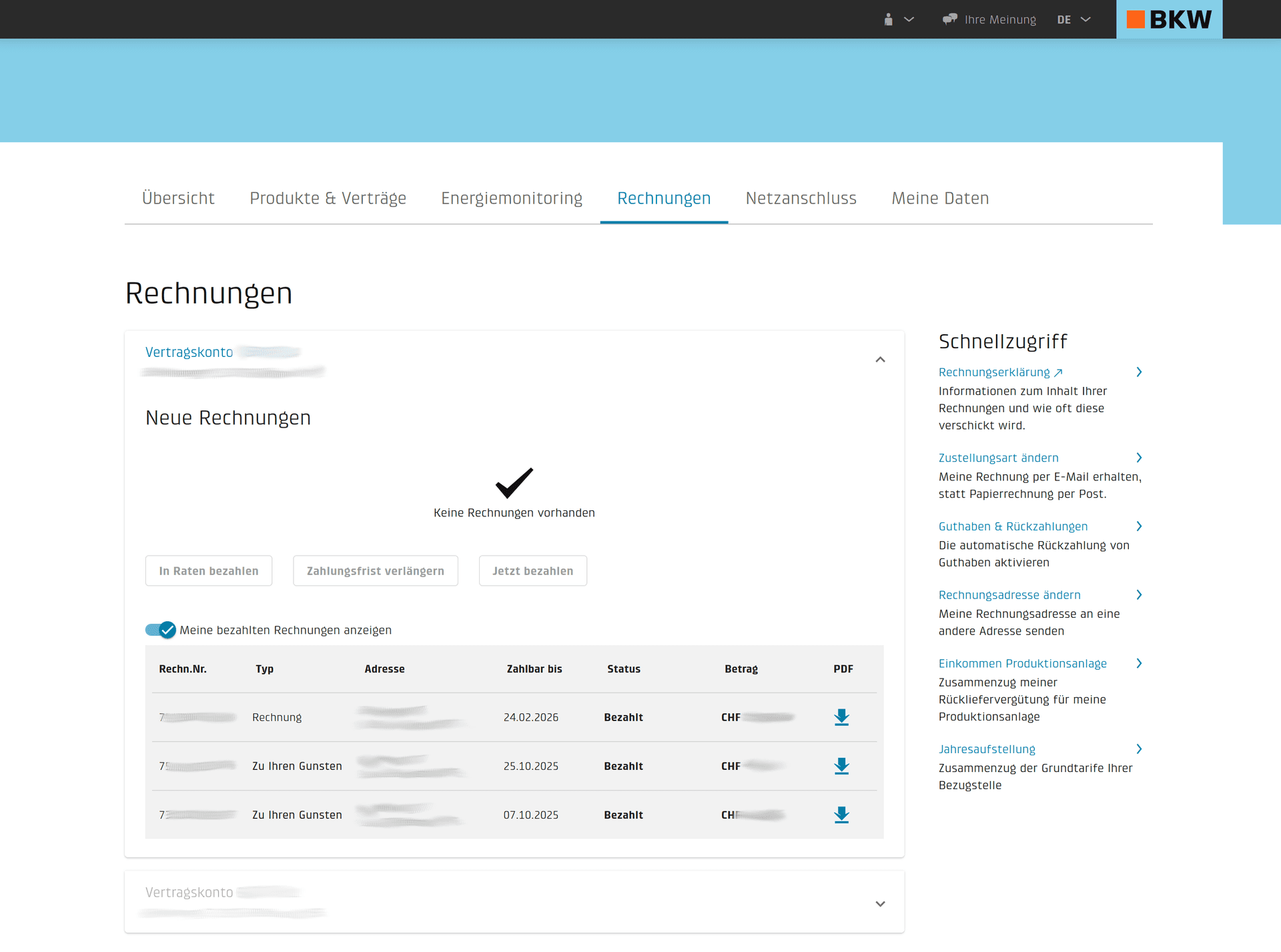
When you open one of the PDF invoices, you can see exactly how the grid operator calculates your invoice: energy tariffs, grid usage fees, system services, strategic reserves, and municipal levies. In Jouli you can create flexible groups — Energy, Grid Usage, Levies — with their individual line items, and freely add, edit, and reorder them to match your BKW invoice so the correct costs are passed through to every community member.
5Import into Jouli
Once you have your CSV file, simply upload it in the Jouli dashboard. The system automatically parses the 15-minute data, handles daylight saving time transitions, validates the energy balance, and allocates solar production proportionally to each member. Then select the billing period range — with one click Jouli calculates and generates a invoice for every member based on your defined tariff plan. Review and check the drafts, and with another click send the PDF invoices to each member.
Quick Summary
- Log in to vzev.bkw.ch and select your community
- Add members in Jouli and assign each their meter and metering point number
- Go to "Measurement Data as CSV" and download the period
- Upload the CSV file to Jouli
- Select the billing period, generate the invoices, review, and send them to every member with one click
Ready to invoice your community?
Upload your energy CSV and generate professional solar invoices in minutes.
Start for Free